Key Takeaways
See your vault at a glance: The home dashboard brings pending actions, balances, asset composition, and activity into one view on login.
Act on outstanding items: The Action Center links directly to transactions awaiting approval or signature, quorum votes, and pending Link connections.
Track value and movement: View total balance trends, USD inflows and outflows, asset holdings, and the five most active wallets.
Review governance conditions: Admins and non-signing admins get a dedicated panel covering policy-blocked transactions, token allowances, admin quorum settings, and unrestricted policy rules.
Check key information on mobile: The mobile dashboard includes pending transactions, admin quorum actions, AUM trends, balance breakdowns, and asset distribution using the same data as the web console.
The New Home for the Utila Console
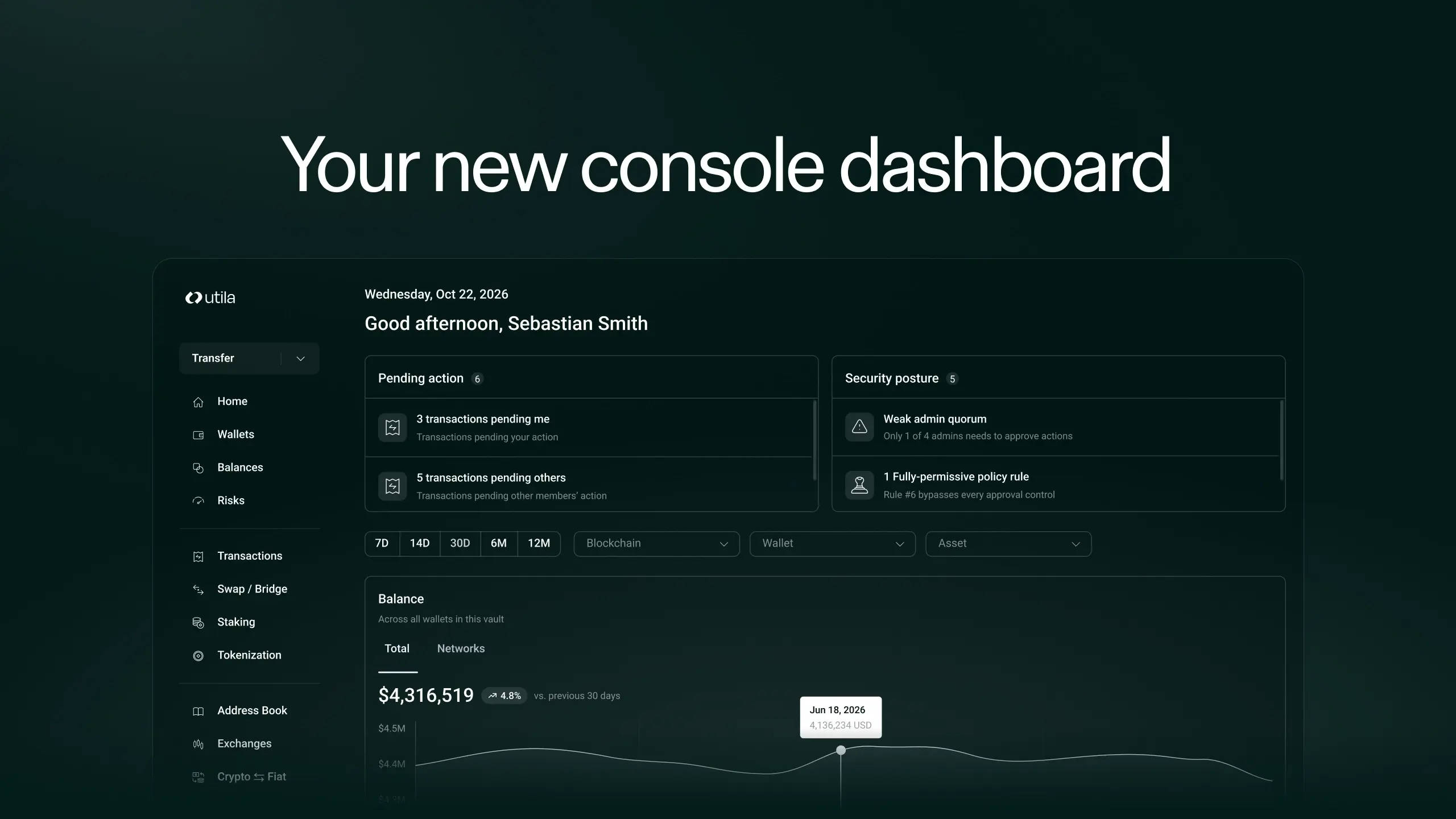
Get an overview the moment you log in that answers the three questions treasury and operations teams actually have: what needs your attention, how money is moving, and where value sits.
The console already exposes balances, transactions, quorum states, policy engine outputs, connection health, and daily value snapshots on their own pages. Now the home dashboard pulls the most important of those signals into one view, so you always get an accessible snapshot.
Why an Overview Matters for Stablecoin Operations
Treasury, ops, and finance teams running stablecoin payments, payouts, and settlements need to move fast without losing sight of governance. A signer waiting on an approval, a policy rule that has widened, or a wallet where activity has spiked all matter, and sometimes within minutes.
The home dashboard is built around that pattern. Counters link to their filtered lists, warnings link to the settings that resolve them, and charts drill into detail.
What's Live on the Web
Action Center
At the top of the page, three counters show outstanding items across the vault: transactions awaiting your approval or signature, quorum actions awaiting votes, and Link connections pending review. Each counter deep links to its filtered list so one click takes you to the queue.
Total Balance and Trend
The total value across wallets, exchange connections, and DeFi positions, shown as a single number with a 30 day trend, percentage change, and a Daily, Weekly, or Monthly view. A sparkline underneath gives you the movement without opening a separate report.
Inflow vs Outflow
A chart of USD inflow against outflow over time, with the same Daily, Weekly, Monthly toggle. Spam and system transactions are excluded so the numbers reconcile with the transactions page, and unpriced transactions are held back so the chart never silently undercounts.
Asset Breakdown
A donut chart of total value split by asset, top holdings first, with the long tail of dust rolled into a single Other slice so the view stays legible. Hover any slice to see the USD value and share of total.
Top Wallets by Activity
A ranked list of the five most active wallets over the last 30 days, showing recent activity alongside current balance, so you can see where flow concentrates without opening the wallets page.
Security Posture, for Admins
Admins and non-signing admins see an additional panel that surfaces governance and risk conditions to review. It flags the count of transactions blocked by policy, the total number of active token allowances and how many are unlimited, and warns when the admin approval quorum is set under two, or when a policy rule matches any source, any destination, any asset, and any amount. Each row links to the settings that let you tighten the exposure.
The panel is role gated. Viewers and signers see the operational widgets without the admin section, and restricted members continue to see the view they had before. Governance visibility stays with the people accountable for it, and compliance and audit workflows benefit from having these signals surfaced at the top of the console rather than distributed across individual settings pages.
What's Live on Mobile
Mobile ships a focused subset for the two things people check on the go: what needs you now, and where value sits. It includes a pending transactions counter, an admin only vault actions counter for quorum votes, total AUM with a trend graph and Weekly or Monthly view, balance broken down across wallets, exchange connections, and DeFi, and the asset distribution donut. The wallet balance card taps through to the wallets page so you can drill in from your phone.
Every widget reads the same data as its web counterpart, so what you see on mobile and what you see on the web reconcile.
Who Benefits
Treasury teams get a live view of AUM, movement, and asset composition without pulling reports.
Operations teams see pending approvals and where activity concentrates the moment they open the console.
Finance and reconciliation can watch inflows and outflows in USD terms against the ledger.
Admins and security teams get a proactive posture view over quorum health, token allowances, and policy rules.
Compliance and audit benefit from role gated visibility and from having governance signals in one place.
Part of a Broader Direction
The home dashboard is one step in Utila's ongoing work to make running stablecoin payments and treasury operations at institutional scale easier to do inside a single console.
Available now in the Utila Console and in the Utila mobile app.

Technical Product Marketing
Kimron Flicker works in product marketing at Utila, bringing content and marketing experience at Polygon Labs and Zengo to institutional digital asset infrastructure.